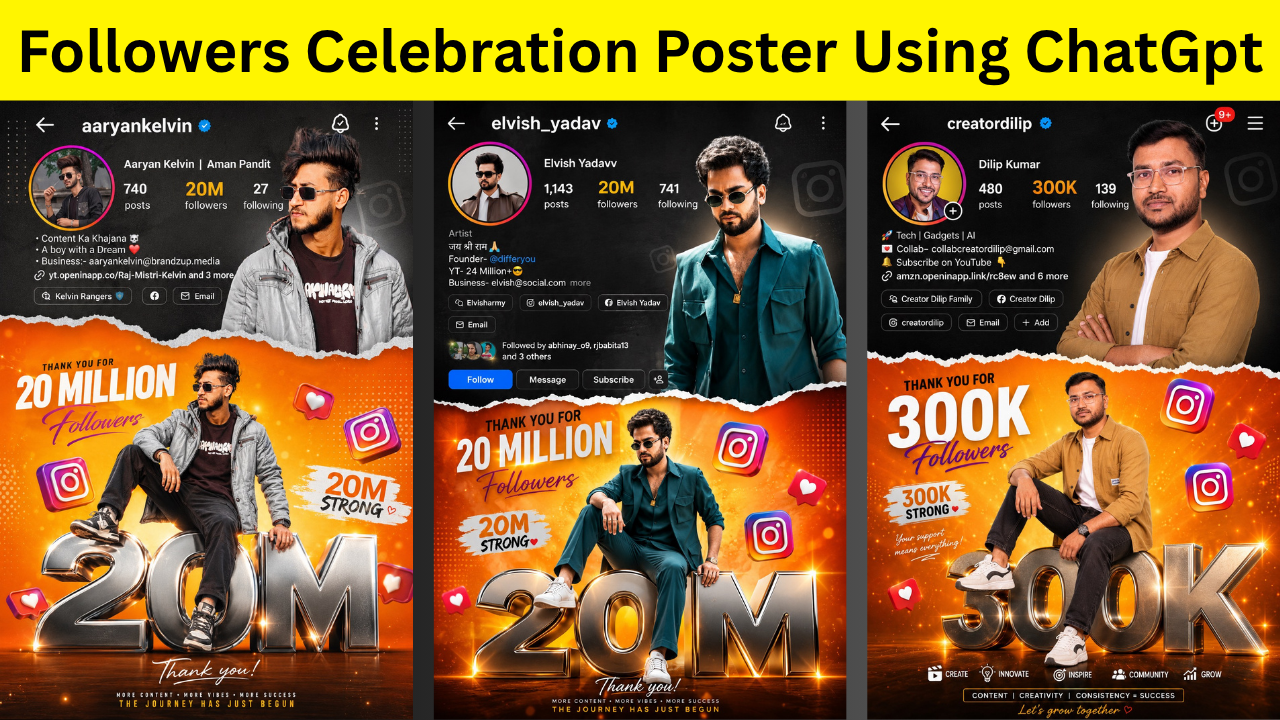
Reaching a new follower milestone is always a special moment. Whether you’ve just crossed 10K, 100K, or even 1 Million followers, it’s something worth celebrating. A well-designed celebration post not only thanks your audience but also highlights your growth as a creator.
The best part is that you don’t need to be a graphic designer anymore. With ChatGPT’s image generation feature, creating a professional-looking followers celebration poster has become incredibly easy. In just a few minutes, you can turn a simple photo into a stunning milestone design.
In this guide, I’ll walk you through the entire process and share a few tips that will help you create a celebration post that truly stands out.
Why You Should Celebrate Your Follower Milestones
Every follower milestone represents the time, effort, and consistency you’ve invested in creating content. Sharing that achievement with your audience makes them feel like they’re part of your journey. A celebration post can also:- Show appreciation to your followers
- Increase likes, comments, and shares
- Build a stronger personal brand
- Make your profile look more professional
- Inspire new visitors to follow you
What You’ll Need Before You Start
Before generating your celebration poster, keep these things ready:- A clear, high-quality photo of yourself
- Access to ChatGPT with image generation
- Your latest follower milestone
- A rough idea of the style or theme you want
Choose the Right Photo
Your final design is only as good as the photo you upload. Try to use an image where your face is clearly visible, the lighting is good, and the quality is high. A clean background isn’t necessary, but it often helps the AI create a more polished result. If possible, avoid blurry selfies or heavily edited images.Describe Your Vision Clearly
Instead of giving short instructions, explain what kind of poster you want. For example, think about questions like:- Do you want a luxury look or something minimal?
- Should the background be dark or colorful?
- Do you want a bold 3D follower count?
- Would you like confetti, lighting effects, or social media icons?
Generate and Fine-Tune Your Design
Once you’ve uploaded your image and entered your instructions, generate the poster. Don’t worry if the first version isn’t perfect. One of the biggest advantages of AI is that you can easily make small changes and generate a new version until you’re happy with the result. Sometimes, even a small tweak to your description can completely transform the final design.Make Your Poster Look More Professional
If you want your celebration post to grab attention, focus on keeping the design clean and premium. Some elements that usually work well include:- Large 3D milestone numbers
- Elegant fonts
- Soft glow effects
- Confetti and spark particles
- Cinematic lighting
- Premium color combinations
- A balanced layout with enough spacing
Choose the Right Size
Different platforms work best with different image sizes. For example:- 4:5 is ideal for Instagram feed posts.
- 9:16 works perfectly for Stories and Reels.
- 1:1 is great for square social media posts.
- 16:9 is suitable for YouTube community posts or banners.
Common Mistakes to Avoid
Many creators rush the process and end up with a poster that doesn’t look professional. Here are a few mistakes to avoid:- Uploading a low-quality photo
- Giving very short or unclear instructions
- Using too many colors in one design
- Adding unnecessary text
- Overcrowding the layout
Final Thoughts
Creating a followers celebration post has never been easier. Thanks to ChatGPT, anyone can design a high-quality milestone poster without learning Photoshop or hiring a designer. All you need is a good photo, a clear vision, and a little creativity. Within minutes, you can create a celebration post that looks professional, reflects your personality, and makes your audience feel appreciated. So the next time you hit a new milestone, don’t just post a number—celebrate the journey behind it. Your followers helped you get there, and a thoughtful celebration post is a great way to thank them while making your profile stand out.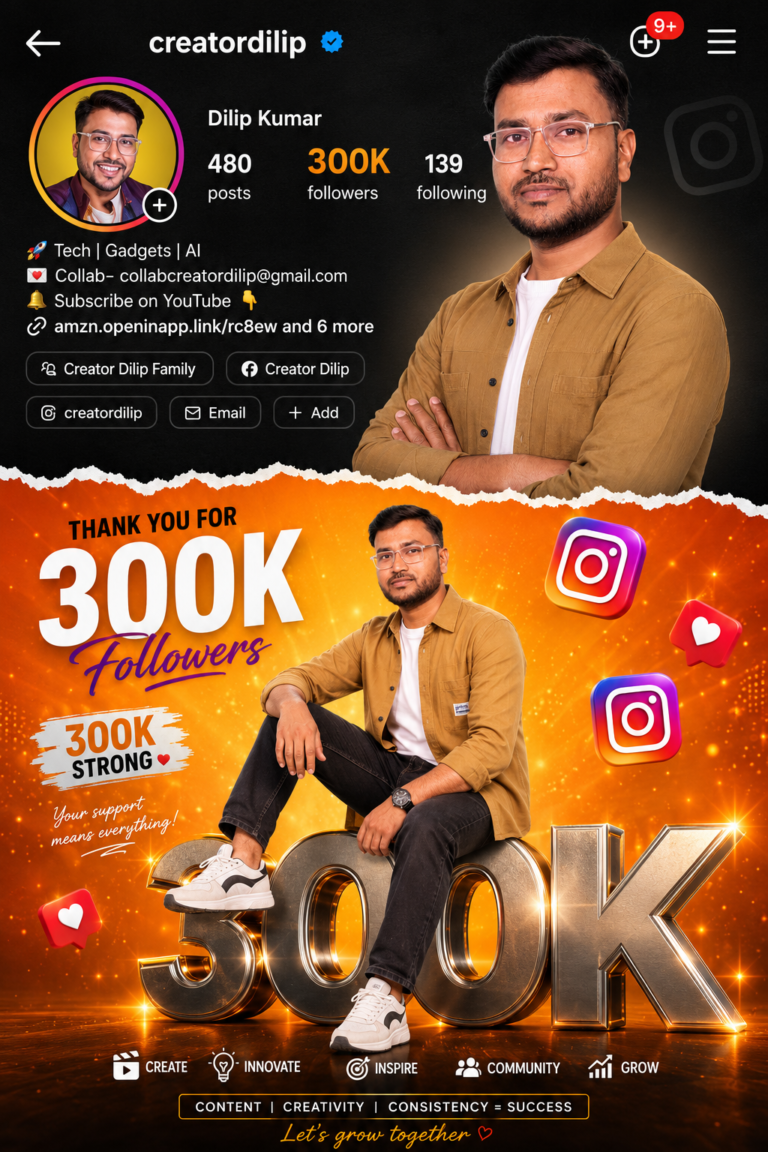
AI Prompt
Vibrant Instagram milestone poster
celebrating 100k followers. The main
subject (Luis) is stylishly posing...
Vibrant Instagram milestone poster
celebrating 100k followers. The main
subject (Luis) is stylishly posing in two
different positions - one full-body sitting pose on top of a big 3D metallic "100K"text with floating Instagram icons, and another half-body stylish photo above with torn paper effect transition
between orange gradient and grey
background. The top section shows an
Instagram profile interface with
username , Editing Prompt follower 100k
count, bio, and icons.
Discover more from viraldost.com
Subscribe to get the latest posts sent to your email.
My name is vicky sahu
Instagram profile interface