
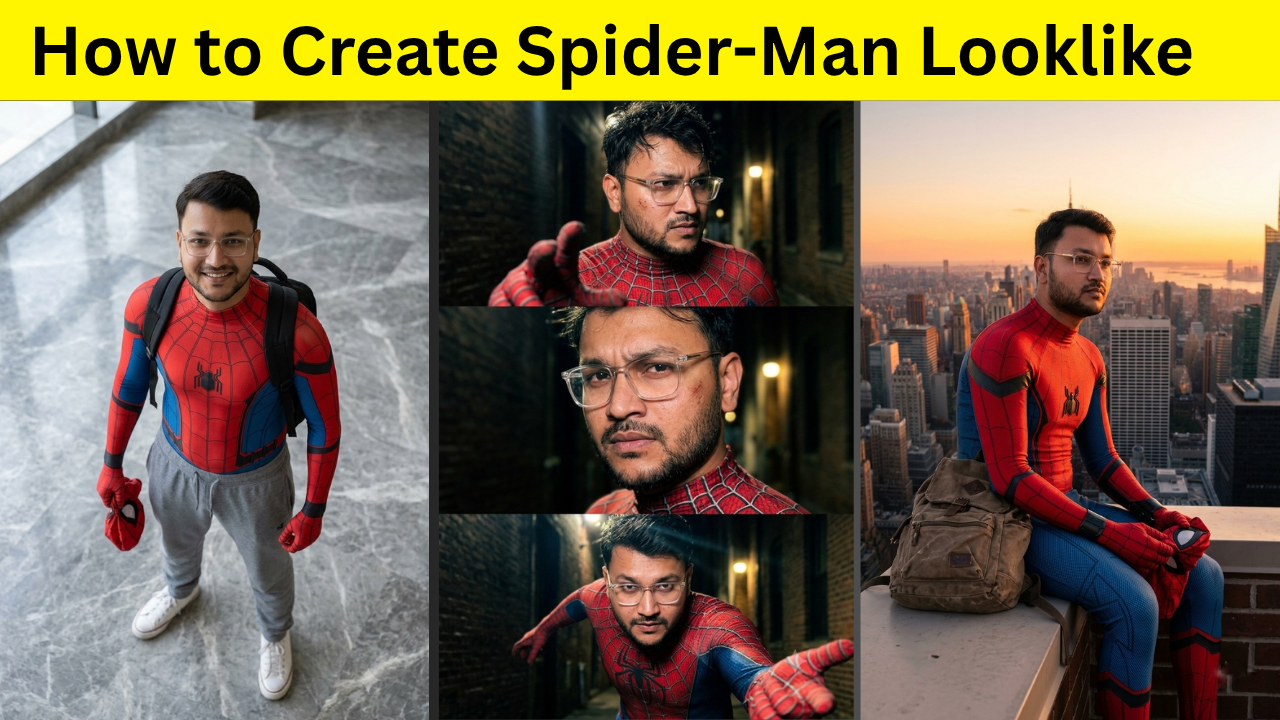
Have you ever seen AI-generated images where someone looks like Spider-Man without actually copying the original character? These images have become extremely popular on Instagram, YouTube Shorts, and other social media platforms. Content creators are using AI to create cinematic superhero-style portraits that look realistic, eye-catching, and unique.
The best part is that you don’t need professional editing skills or expensive software. With the latest AI tools like ChatGPT and Google Gemini, anyone can create stunning Spider-Man-inspired photos in just a few minutes.
In this guide, we’ll explain how the process works, what you need before getting started, and how you can generate better-looking AI images with simple techniques.
Why Spider-Man Style Photos Are Trending
Superhero-themed content has always attracted attention online. People love imagining themselves as their favorite characters, and AI has made that possible without complicated photo editing. Instead of wearing a complete costume or creating unrealistic artwork, modern AI can generate highly realistic images where you appear inspired by Spider-Man while maintaining your own identity. This makes the photos feel more personal and unique. Many creators use these images for:- Instagram profile pictures
- YouTube thumbnails
- Reels and Shorts
- Wallpapers
- Social media posts
- Creative storytelling
- Digital art collections
What You Need Before Creating AI Images
Before generating your superhero-inspired image, make sure you have a clear reference photo of yourself. A good photo helps AI understand your facial features, hairstyle, body posture, and clothing. The better the input image, the better the final result. For the best output, your photo should have:- Good lighting
- A clear view of your face
- High image quality
- Minimal background distractions
- Natural expression
Using ChatGPT for AI Image Generation
ChatGPT now supports powerful image generation capabilities that can transform your ideas into realistic visuals. You simply describe the type of image you want, upload your reference photo if required, and let the AI generate multiple variations. One of the biggest advantages of ChatGPT is that it understands detailed instructions very well. You can describe clothing, camera angle, lighting, pose, background, facial expression, and even cinematic effects. Instead of creating cartoon-like artwork, ChatGPT can produce realistic images that look like professional photographs when given clear instructions. This makes it an excellent choice for creators who want social-media-ready images without spending hours editing.Creating Similar Images with Google Gemini
Google Gemini has also become a powerful option for AI image creation. It understands visual descriptions naturally and can generate creative images with impressive realism. Depending on the version you are using, Gemini may also support editing existing images and generating new ones based on your instructions. Many users prefer Gemini because it integrates well with Google’s AI ecosystem and continues improving rapidly. If you’re already using Google’s AI tools, Gemini offers an easy way to experiment with different superhero-inspired concepts while keeping your photos realistic.Focus on Realism Instead of Copying
One important thing to remember is that the goal should be creating a Spider-Man-inspired look rather than directly copying every detail from the original character. The most attractive AI images usually combine superhero elements with realistic clothing, modern fashion, and natural photography. For example, instead of generating a complete movie costume, many creators choose subtle superhero-inspired outfits, realistic lighting, casual accessories, and cinematic backgrounds. This approach makes the image look more believable and visually appealing.Experiment with Different Camera Angles
A single pose can produce dozens of completely different results depending on the camera angle. Try imagining your photo from perspectives like:- High-angle shots
- Low-angle cinematic views
- Side profile portraits
- Full-body photography
- Close-up facial shots
- Action-style standing poses
- Urban street photography
Lighting Makes a Huge Difference
Lighting is one of the biggest factors that separates average AI images from stunning ones. Natural daylight, golden hour lighting, soft indoor light, dramatic shadows, and cinematic evening lighting all create different moods. If your reference image already has good lighting, the AI can preserve realistic facial details much more effectively. Many viral AI images appear impressive simply because the lighting looks like it came from a professional photoshoot.Choosing the Right Background
Background selection also affects the final image. Simple backgrounds often produce cleaner and more realistic results, while busy environments can distract from the subject. Popular background ideas include:- Modern city streets
- Rooftops
- Indoor marble floors
- Urban buildings
- College campuses
- Cafes
- Parks
- Studio environments
Keep Your Facial Features Natural
One mistake many beginners make is trying to change every aspect of their appearance. The best AI-generated images still look like you. Instead of asking the AI to completely redesign your face, focus on enhancing image quality, improving lighting, refining clothing, or creating a cinematic atmosphere. Keeping your natural facial features helps the final result feel authentic.Generate Multiple Versions
AI image generation is rarely perfect on the first attempt. Professionals usually generate several variations before choosing the best one. Each version may have slightly different lighting, expressions, poses, clothing details, or backgrounds. After comparing the results, you can keep the strongest image or make small improvements using additional instructions. This iterative process usually produces much higher-quality images.Common Mistakes to Avoid
Many users become disappointed because they make simple mistakes during image generation. Some common issues include:- Using low-quality reference photos
- Giving very little visual detail
- Expecting perfect results in one attempt
- Uploading blurry selfies
- Using overly complicated descriptions
- Ignoring lighting and composition
Where You Can Use These Images
Once your image is ready, you can use it in many creative ways. Popular uses include:- Instagram Reels covers
- YouTube thumbnails
- Facebook posts
- X (Twitter) profile pictures
- Wallpapers
- Digital posters
- Creative storytelling
- AI art collections
Final Thoughts
Creating Spider-Man-inspired AI photos has never been easier. With advanced tools like ChatGPT and Google Gemini, you can generate realistic, cinematic, and social-media-ready images in just a few minutes. The key is starting with a high-quality reference photo, focusing on realism, experimenting with different camera angles and lighting, and generating multiple versions until you achieve the look you want. As AI image generation continues to improve, creators have more opportunities than ever to produce unique visual content without needing advanced editing skills. Whether you’re making content for Instagram, YouTube, or simply exploring your creativity, these AI tools make it easy to bring superhero-inspired ideas to life while keeping the final result personal, realistic, and visually impressive.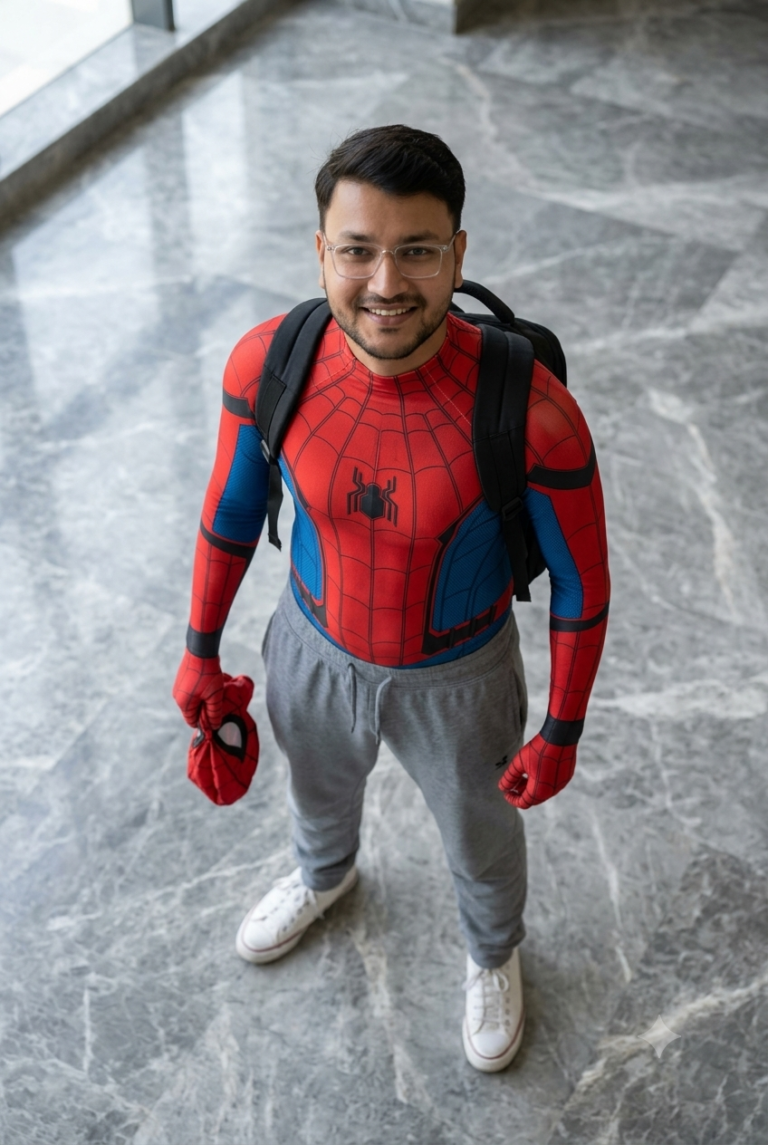
AI Prompt
A realistic high-angle full-body shot of a young man with messy, textured black hair looking up at the camera. He is dressed in a red and blue Spider-Man bodysuit on his upper half...
A realistic high-angle full-body shot of a young man with messy, textured black hair looking up at the camera. He is dressed in a red and blue Spider-Man bodysuit on his upper half, but wearing loose casual grey sweatpants on his lower half, white clean canvas shoes. He has a black backpack on his shoulders and is holding a red Spider-Man mask in his left hand. He is standing indoors on a grey marble tiled floor. The lighting is soft and natural, giving a casual "Peter Parker after school" vibe. Image ar 4:6
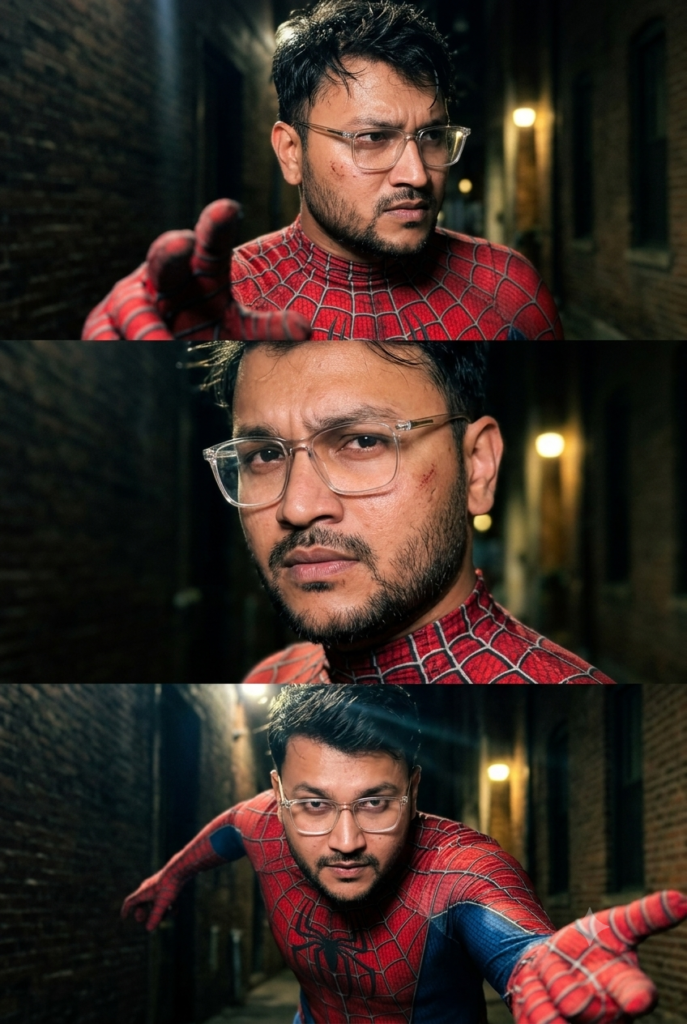
AI Prompt
Use my uploaded image as reference for the same person, same facial features and skin tone. Preserve the face with 100% accuracy — do not alter, beautify or restyle the face. Ultra-realistic iPhone 17 Pro Max...
Use my uploaded image as reference for the same person, same facial features and skin tone. Preserve the face with 100% accuracy — do not alter, beautify or restyle the face.
Ultra-realistic iPhone 17 Pro Max 3-frame collage (vertical stack of three separate frames), cinematic candid shots taken seconds apart. Same person in all three frames, same suit, same location.
OUTFIT (all frames): the subject wears an original red and blue spider-themed superhero bodysuit with subtle raised black web-line texture and realistic fabric detail across the chest, shoulders and arms.
BACKGROUND: gritty urban night setting — dark brick alley wall, moody shadows, faint warm streetlight glow.
TOP FRAME: chest-up close-up, subject slightly turned sideways, intense determined expression looking just off-camera, messy damp hair falling forward, sweat and light dirt on the skin for a raw battle-worn look. One gloved hand partially raised in the foreground, slightly blurred.
MIDDLE FRAME: tighter close-up on the face, head slightly tilted, one eyebrow raised, focused emotional expression, visible real skin texture, pores and faint scuff marks on the cheek, part of the web-textured suit collar visible at the neck.
BOTTOM FRAME: low-angle chest-and-shoulders shot, subject leaning forward toward the camera in a dynamic ready pose, one arm reaching out toward the lens, confident intense gaze, dramatic rim light on the shoulders.
LIGHTING: natural harsh night lighting with strong highlights and deep uneven shadows, realistic exposure, slight lens flare from a distant light.
SHOT: handheld smartphone feel with slight tilt, imperfect framing, mild film grain, natural realistic colors, raw candid photography. NOT AI-generated — must look like real hand-clicked movie-style frames. No plastic skin, no distorted anatomy.
RATIO: 4:6 vertical. Enhance overall image quality.
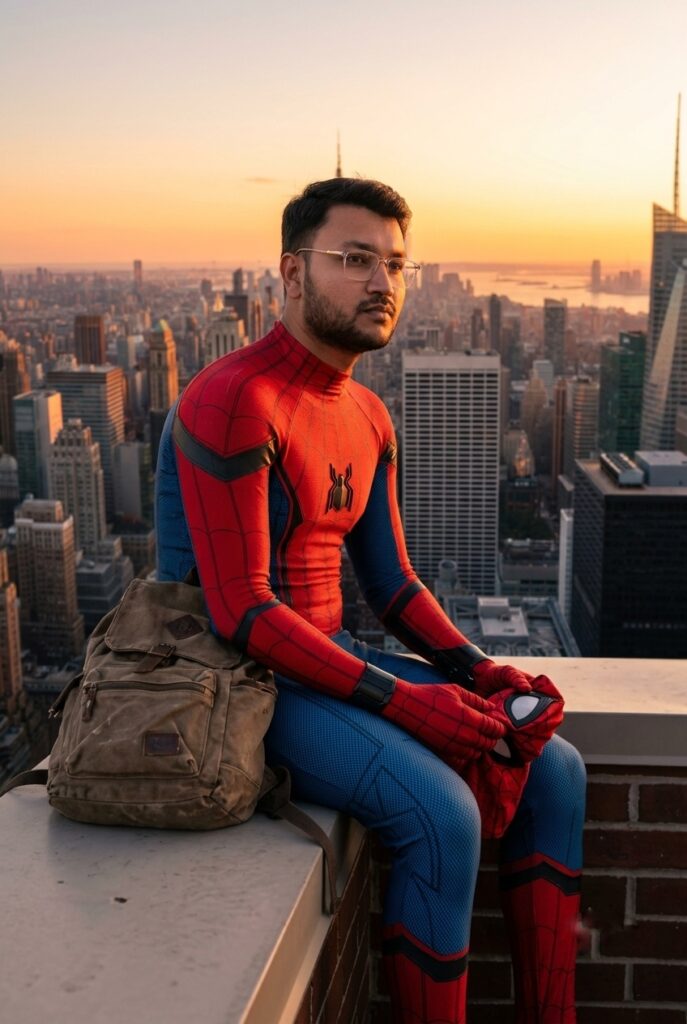
AI Prompt
Use the uploaded photo as the face reference. Turn the person into a Spider-Man-inspired hero sitting on a rooftop ledge at sunset, red and blue suit...
Use the uploaded photo as the face reference. Turn the person into a Spider-Man-inspired hero sitting on a rooftop ledge at sunset, red and blue suit, mask held in one hand, backpack beside them, New York-style skyline in the background, warm cinematic light, thoughtful expression, preserve the face clearly. Image Ratio- 4:6
Discover more from viraldost.com
Subscribe to get the latest posts sent to your email.